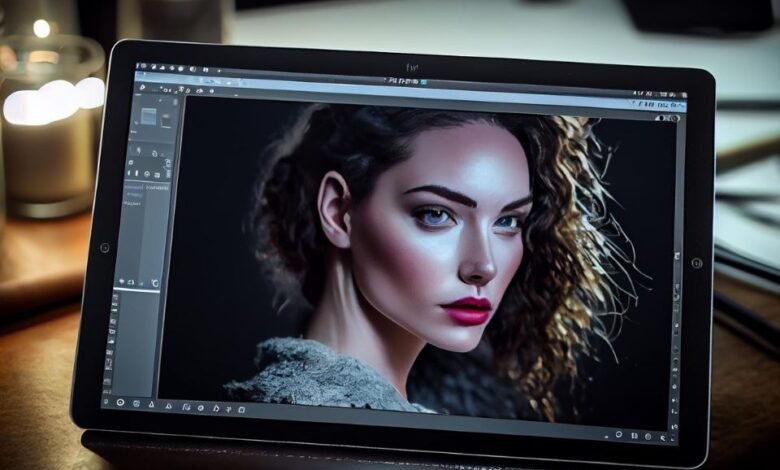
AI photo editing in batch applies the same corrections, masks, or retouching across an entire shoot instead of one image at a time. Adobe Firefly’s AI photo editor handles generative fixes on individual images, while its enterprise tool, Firefly Creative Production, runs bulk background removal, resizing, and cropping across large image sets.
Imagine a school portrait photographer who just finished picture day: 1,200 raw files of students against a gray backdrop, shot over six hours as the window light shifted. Every frame needs matched exposure and white balance, gentle skin retouching, and a consistent crop. Editing them one by one could take days. Batch AI editing changes that by doing the repetitive work across the whole set, while the photographer reviews results and fixes the outliers. The best tool depends on which part of the job you want to batch: raw corrections, portrait retouching, or production tasks like background changes and resizing.
For production tasks at scale, Firefly offers a business option. Adobe says Firefly Creative Production provides preset bulk actions that run on batches of images and videos without technical setup, scaling from one image to thousands. You can remove or replace backgrounds in bulk with uploaded images or solid colors, resize images with focal point control and Generative Expand to fill surrounding areas, and crop in bulk. Adobe notes that access requires a Firefly Services or Firefly Creative Production entitlement. For individual images, the standard Firefly photo editor offers Prompt to Edit, Generative Remove, and Generative Expand, with free daily generations on a free account.
Pricing for AI Photo Editing: What Photographers Pay
Pricing for AI photo editing usually follows one of four models, and photographers often mix them.
Free daily allowances: Firefly gives free accounts free daily generations, with paid plans for higher-volume generation.
Enterprise entitlements: Firefly Creative Production requires a Firefly Services or Creative Production entitlement, aimed at teams producing content at scale.
Software licenses: Raw editors like ON1 Photo RAW offer either a perpetual license or a subscription, according to ON1, and include a 30-day free trial.
Per-photo services: Some AI editing services, such as Imagen, offer pay-as-you-go pricing per edited photo alongside monthly plans.
For a 1,200-image shoot, per-photo pricing scales directly with volume, while a license costs the same no matter how many images you process. Compare your typical monthly volume before choosing, and check current pricing pages, since plans change often.
Batch Editing With AI Portrait Retouching on Raw Files
Batch editing with AI portrait retouching on raw files lets you smooth skin and fix small flaws across a session while keeping raw flexibility.
ON1 says its Brilliance AI can automatically apply NoNoise AI and portrait retouching, and that Brilliance AI adjustments can be batch-applied across images. ON1 Photo RAW supports raw files from more than 800 cameras.
Capture One’s recent portrait tools include a Retouch Faces suite with AI-driven tools such as Blemish Removal, Even Skin, and Dark Circle Reduction, according to retailer Park Cameras. Imagen’s guides describe its Smooth Skin feature as running during the batch editing process.
A practical approach is to apply retouching at a moderate strength across the whole set, then review close-ups individually. Faces vary, so a setting that looks natural on one student may need a lighter touch on another.
Best AI Batch Image Editor for a Whole Photo Shoot
The best AI batch image editor for a whole photo shoot depends on which tasks you’re batching. The table below compares four options.
| Platform | Best for | Key batch details |
| Adobe Firefly | Bulk production tasks for teams | Creative Production bulk background removal or replacement, resize with Generative Expand, and bulk crop; requires an enterprise entitlement; photo editor for individual generative fixes |
| Capture One | Studio and tethered shoots | Batch Subject and Background masks; copy AI masks between images with recalculation; AI masks in Next Capture Adjustments |
| ON1 Photo RAW | All-in-one raw batch work | Batch Brilliance AI adjustments; auto-applied NoNoise AI and portrait retouching; AI Adaptive Presets |
| Imagen | Editing in your own style | Personal AI Profiles trained on your past edits; Talent AI Profiles for newer users; AI culling |
Many photographers cull and correct in a raw editor or AI service, then use Firefly for generative fixes on hero images.
Capture One AI Tools for Batch Editing in 2026
Capture One AI tools for batch editing focus on masks, matching, and selection.
Capture One says you can select multiple images and apply Subject or Background masking to all of them, then copy unchanged Subject, Background, and People masks to other images, where Capture One automatically recalculates each one. In Capture One Pro, AI masks also work with Next Capture Adjustments, recalculating as new images arrive during a tethered session.
Capture One’s Smart Adjustments help match exposure and white balance across a series to a reference image, according to Imagen’s guides. Park Cameras also describes Capture One features that automatically group similar photos and analyze eye and face focus to highlight the sharpest frames.
For a school portrait day, that combination covers consistent corrections, faster selection, and masks that follow each student from frame to frame.
FAQ
Can I batch edit with the free Firefly photo editor?
The free photo editor is designed for editing images individually with free daily generations. Bulk actions like background removal and resizing across many images are part of Firefly Creative Production, which requires an enterprise entitlement.
Should I trust AI batch results without reviewing them?
No. Batch tools handle the bulk of the work, but always review a sample of images, especially faces, edges, and unusual lighting, before delivering to clients.
Are Firefly edits safe for client work?
Adobe says Firefly’s generative AI models are commercially safe because they were trained on licensed and public domain content. For partner models, you’re responsible for checking whether a model fits your project.