What a Video Doorbell Can Do Once It Joins Alexa or Google Home
Someone presses the doorbell while you are in the kitchen, and the useful question is not whether a box says “Works with Alexa.” You need to know where the alert will sound, whether a smart display can show the visitor, and which controls still require the doorbell app. Alexa is not a doorbell itself. A compatible video doorbell passes selected alerts, video, and controls to Echo devices, while recording and its more advanced camera features stay in the doorbell’s own app. Google Home follows a similar pattern, and Apple devices may add a connection requirement. The sections below explain that division before you choose a model.
What an Alexa Doorbell Can Do on Echo Devices
Announcements, Live View, and Two-Way Talk
An Alexa doorbell camera uses the doorbell maker’s Alexa skill to share specific events and controls with Echo devices. Many compatible models send a doorbell press announcement to Echo speakers, and an Echo Show may also open a live camera view with two-way talk. These functions are useful when your phone is charging in another room or when several people need to hear a visitor. Support varies by model, so the Alexa skill description matters more than the compatibility badge by itself.
It also helps to separate a requested live view from an automatic screen response. A model may let you ask an Echo Show to display the camera without opening that view automatically when the button is pressed. The same distinction applies to talk controls and motion announcements, so read the exact triggers and actions the model lists before you rely on a feature.
Alexa Routines and Automation
Alexa Routines can connect a supported doorbell event to another household action. A button press might turn on the porch light after dark, for example. Motion can be a routine trigger on some models, while others expose only the doorbell button or live view. Confirm which triggers and actions the model actually lists — a general “works with Alexa” statement does not guarantee every announcement, display, or routine option.
Household Accounts and Camera Permissions
A notification that reaches the kitchen but not an upstairs speaker may be fine in one home and frustrating in another. The doorbell and voice-assistant accounts normally need to be linked, and camera permissions control who can request a view. Review household profiles, camera access, and child-facing devices before making the camera available throughout the home.
What Changes with Google Home and Apple Devices
A Google Home doorbell can use Nest speakers for visitor announcements and a Nest display for camera viewing when the integration supports those functions. Apple access can follow a different path, because some doorbells need a compatible bridge or base station before they appear in the Home app.
| Platform | What to verify | Why it matters |
| Alexa | Ring and motion announcements, live view, two-way talk, and available Routine triggers | The skill decides which doorbell events and controls reach Echo devices |
| Google Home | Visitor alerts on Nest speakers, live view on Nest displays, and supported voice commands | Feature coverage can differ from the same doorbell’s Alexa integration |
| Apple devices | Whether a compatible base station or bridge is required | The extra hardware affects installation, cost, and where video or alerts appear |
Households that mix platforms should check each connection on its own instead of assuming an Alexa feature has an identical Google or Apple equivalent. If you are still comparing hardware, start with the platform already used by most people in the house. Then narrow the video doorbell range by power type, chime arrangement, and stated smart-home support. Compatibility should shorten the list, but the final check is whether the model exposes the particular announcement, screen, talk, or automation function you expect. In a mixed-platform home, choose one system as the main destination for doorbell events — two assistants can be convenient, but duplicate alerts and different names for the same camera can make simple commands less predictable.
Which Features Stay Inside the Doorbell App
Third-party smart-home platforms usually receive a smaller set of controls than the manufacturer’s app. Live video, a basic notification, and talk may be shared, while camera movement, tracking, advanced framing, detection settings, recording history, and device management remain in the original app. That split keeps routine household access simple, but a smart display should not be treated as a replacement for the full doorbell interface.
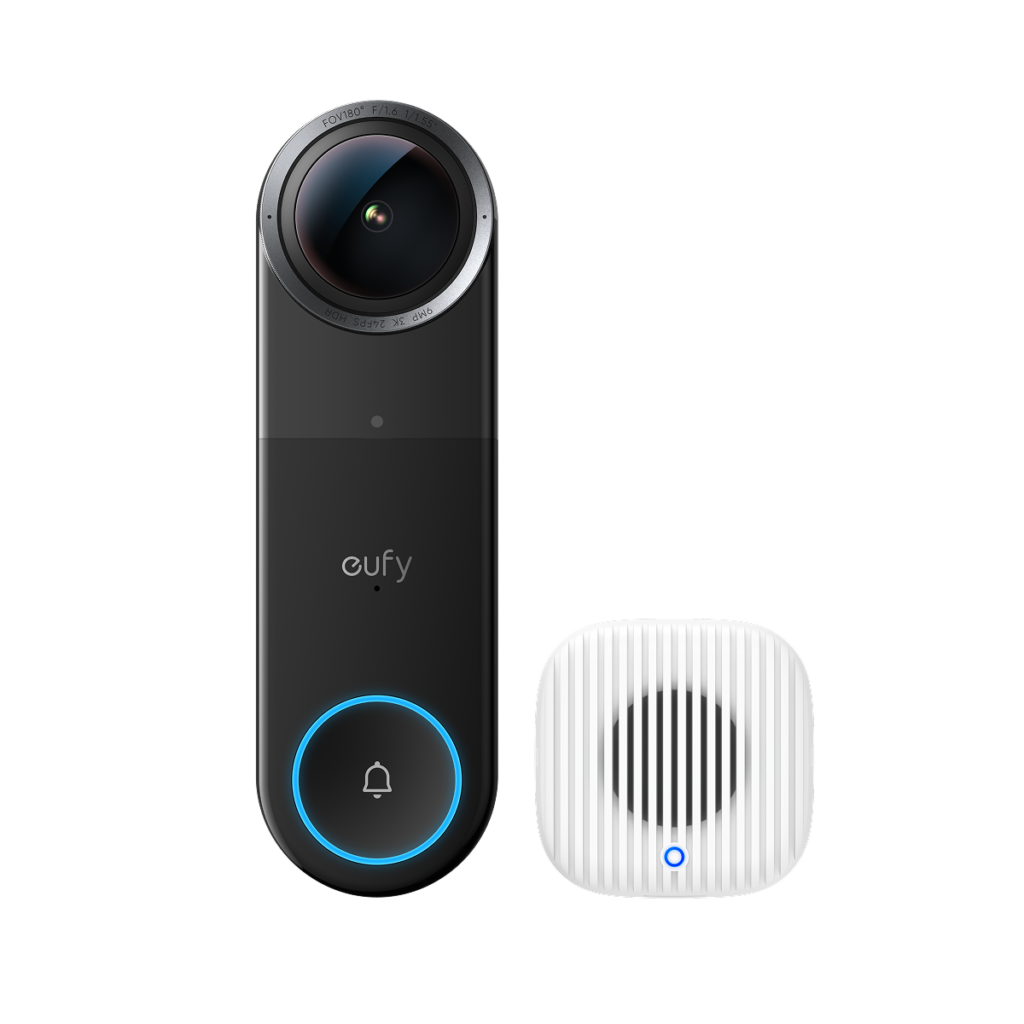
The eufy Video Doorbell S4 shows the difference clearly. It supports Alexa and Google Assistant, while access from Apple devices goes through a compatible eufy HomeBase. Once the S4 is connected to a third-party platform, it provides a fixed camera view — VR Mode and OmniTrack are unavailable there. Those two features stay in the eufy app, where OmniTrack can follow a person and Auto-Framing can keep the subject centered, while VR Mode gives the phone a full-screen, gesture-controlled view of the doorstep.
This arrangement suits a home that wants simple access on shared speakers and displays but keeps detailed camera controls on a phone. Before choosing any model, write down which functions need to work for everyone and which can remain with the primary account holder. If a tracking view or a special camera mode is central to the purchase, plan to use the manufacturer’s app for that task. Detection zones, notification schedules, stored clips, and firmware updates are also commonly managed in the original app, so keeping it installed is part of owning the doorbell — even when most visitor checks happen on a smart display.
Check Chimes, Wi-Fi, and Wiring Before Setup — and Test After
Plan the Indoor Chime Separately
Smart-speaker announcements should be an extra notification path, not the only way the household hears a visitor. Internet service, a muted speaker, a disabled skill, or a changed routine can interrupt an announcement. Check whether the doorbell includes a separate indoor chime, works with an existing mechanical chime, or requires another accessory. The S4 includes eufy Chime 2 and bypasses the old mechanical chime, so the home has an indoor doorbell sound without relying on an Echo or Nest speaker.
Confirm the Wiring and Transformer
Power requirements can rule out a model before smart-home compatibility matters. The S4 is a wired-only doorbell for existing wiring that supplies 16 to 24 VAC and 10 to 40 VA; its small built-in battery is for backup during an outage, not daily operation. A homeowner replacing a battery doorbell may need suitable wiring and transformer capacity, and anyone with older wiring should confirm the transformer label before installation.
Check Wi-Fi Where the Doorbell Will Sit
Wi-Fi quality at the front door affects both the doorbell app and any linked display. The S4 supports 2.4 GHz and 5 GHz Wi-Fi. It needs at least 8 Mbps of upload speed for 3K streaming, and 12 Mbps or more may provide a better experience. Run a speed and signal check near the installed location, not beside the router — a strong internet plan cannot compensate for weak coverage at an exterior wall, so a mesh node or access point may matter more than the headline broadband speed. Test in the evening, when household streaming and calls use more bandwidth; if the live view opens slowly at that time, improve coverage before adding more routines or displays.
Test the Full Setup After Installation
Once installed, walk through the same path a visitor would trigger:
- Press the doorbell and listen for the dedicated indoor chime.
- Request the live camera on the chosen display and try two-way talk.
- Run each routine that uses a supported doorbell event.
- Open the manufacturer’s app and confirm that its advanced controls still work as expected.
Conclusion
Connecting a video doorbell to Alexa or Google Home brings selected alerts, live views, talk controls, and routines to shared devices, while advanced camera controls stay in the doorbell app. Before you buy, confirm which alerts and views reach your smart-home devices, whether a bridge or base station is required, and whether the entrance has suitable chime, wiring, and Wi-Fi. Then list the features your household uses daily and check them against what the model’s integration actually supports. That final check decides whether the doorbell fits your home before the first visitor presses it.